How to Trade Robinhood Chain Tokens on Fomo
Buy Robinhood Chain tokens on Fomo from your USDC cash balance. You pay 0.50% plus the network fee, and USDG deposits start at 0.50 USDG.

To trade a Robinhood Chain token on Fomo, open its token page, tap Buy, enter an amount and slide to confirm. The money comes out of your USDC cash balance and Fomo routes it onto Robinhood Chain for you, so you don't need USDG or a gas coin first. Selling works the same way in reverse, and the proceeds land back in your cash balance. Each trade costs Fomo's 0.50% fee plus a Robinhood Chain network fee that you pay, because Fomo covers gas on Solana only.
Robinhood Chain has been on Fomo since July 9, 2026. Below: how to find its tokens, what a trade costs, how USDG deposits work, and what to check when the fees spike or your holdings look wrong.
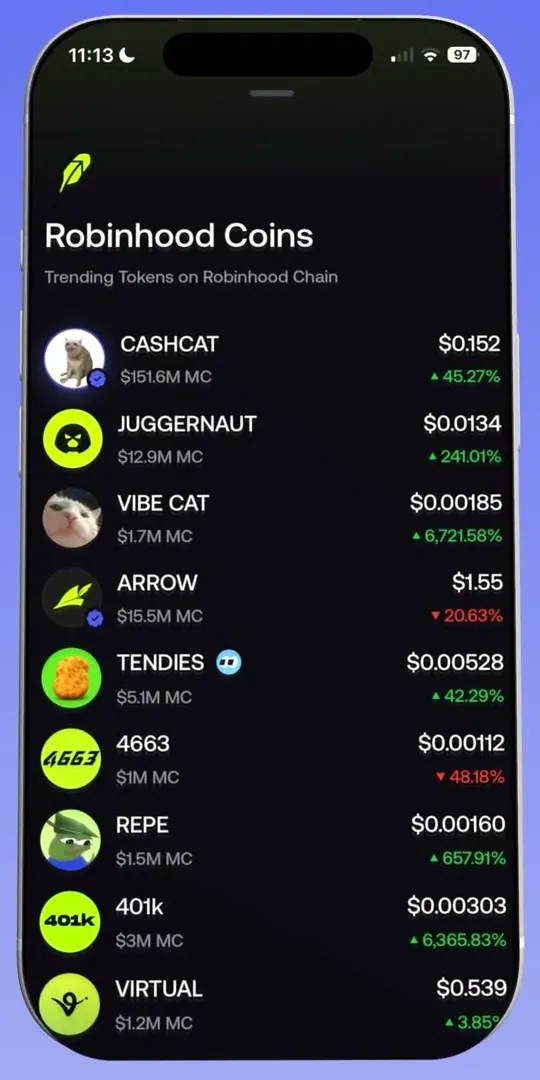
How to find Robinhood Chain tokens
- On the home screen, open the Tokens tab.
- Tap the network filter at the start of the filter row to open Filter by network.
- Pick Robinhood Chain and tap Save. Trending, Most held, Graduated and the other lists now show only Robinhood Chain tokens.
- To find one token, paste its contract address into Search. A name search doesn't reach every small token, and an address search always does.
The filter is saved on your device, so set it back to All chains when you're done, or tokens on other chains will seem to be missing. On the web, the Discover page has its own Network filter.
Tokenized stock tokens also live on Robinhood Chain, and they're region locked. If a token page says Not available in your region, read how stock tokens work.
Buy and sell from your cash balance
- Open the token page and check the labels. A blue check means Fomo reviewed it; an Unverified token note means nobody has.
- Tap Buy and enter the amount in dollars.
- Expand the details to see the Fomo fee and the Network fee row.
- Slide to confirm. If a High network fee sheet appears after that, tick I understand to go ahead, or cancel; nothing is charged if you cancel.
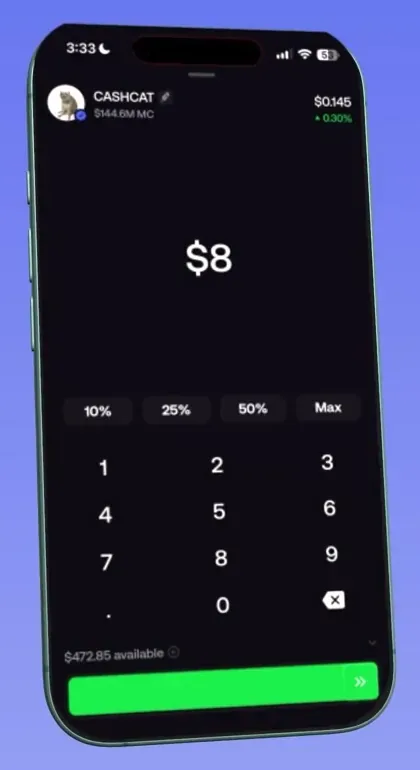
To sell, tap Sell, choose the amount and slide. The minimum sell is 2 USDC, and when network fees are high a sell a little above that can still be too small to route. Quick Trades works on Robinhood Chain too, and it stops for a review when the network fee is high.
One limitation to know: a sell sometimes fails because no route is available at that moment, and Fomo's help center says this happens most on Robinhood Chain. Your tokens are still yours when it happens. Send support the token and they'll check its current state. The can't sell guide covers the other causes.
What a Robinhood Chain trade costs
| Charge | Amount | Who sets it |
|---|---|---|
| Fomo fee | 0.50% of the trade | Fomo |
| Network fee | Varies; shown in the Network fee row | The network, which also receives it |
| Token tax | Only if there is one; shown as a Token tax row | The token's creator |
The network fee shown sits inside the total you enter rather than on top of it. On a small trade it can be a large share of the amount, and that's when the app asks you to confirm. The fees guide compares every chain.
Depositing USDG on Robinhood Chain
You don't need to deposit on Robinhood Chain to trade there. If you already hold USDG on Robinhood Chain, though, you can send it in:
- Tap Deposit, then Crypto, and pick Robinhood Chain.
- Copy the address. It's your EVM address, the same one you use on Base and the other EVM chains.
- Send USDG on Robinhood Chain, at least 0.50 USDG.
The USDG converts automatically into your USDC cash balance. It lands in your wallet first and moves into cash while you're signed in to the app. Below 0.50 USDG it waits at your deposit address until a top-up takes the total over the line.
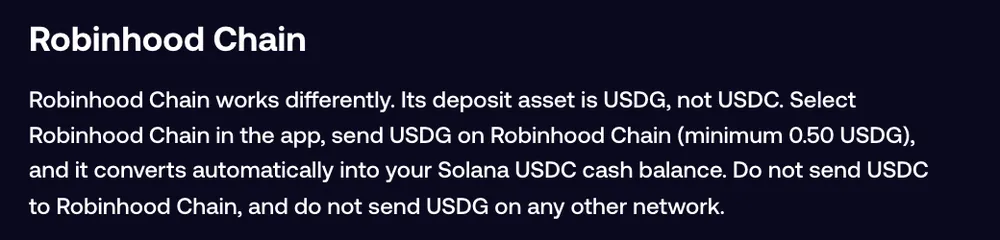
Don't send USDC on Robinhood Chain, and don't send USDG on any other network. Withdrawals on Robinhood Chain go out as USDG, so pick it only if the receiving wallet or exchange accepts Robinhood Chain USDG. Robinhood Chain isn't the Robinhood app: never paste an address from the Robinhood app into a Fomo withdrawal, because those funds are lost.
The "Elevated network fees on Robinhood chain" banner
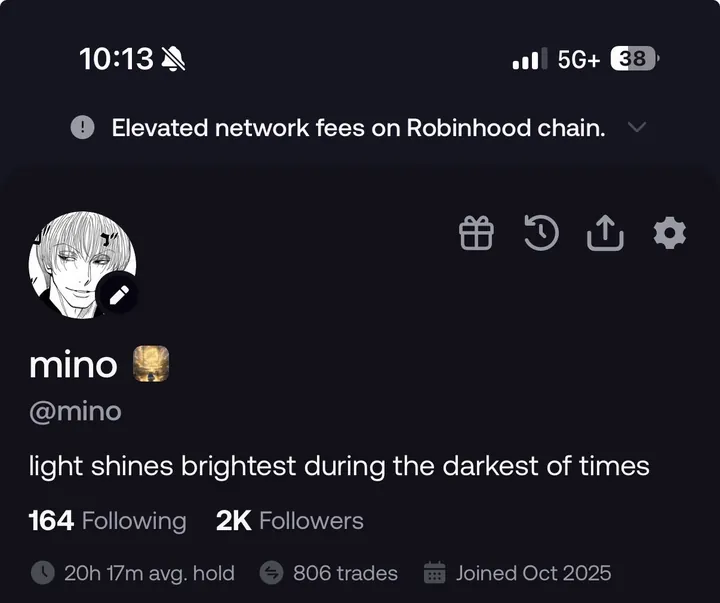
In early September 2026 some users saw a banner at the top of the app reading Elevated network fees on Robinhood chain. Fomo hasn't published a help article about it, but the message is plain: the chain's network fees were running high, and on Robinhood Chain you pay that fee yourself.
While the banner shows, check the Network fee row before every slide and skip small trades that the fee would eat. You may also see the High network fee prompt more often. If a trade can wait, wait for the banner to go.
Robinhood Chain holdings not showing
- Check Show hidden. Fomo hides holdings worth under $2 and anything it can't price by default, plus any token you hid yourself. Tap Show hidden at the bottom of your holdings list.
- Check the network you sent on. Tokens sent on a network Fomo doesn't support never show in the app, even though the transfer confirmed.
- Check the explorer. Paste your EVM address into robinhoodchain.blockscout.com and open the token transfers view to see whether the token arrived.
- Check the token. Verified and widely traded tokens generally show. Some others don't display in the app and may need your exported private key in an outside wallet.
- Contact support with the transaction hash and the network if everything checks out.
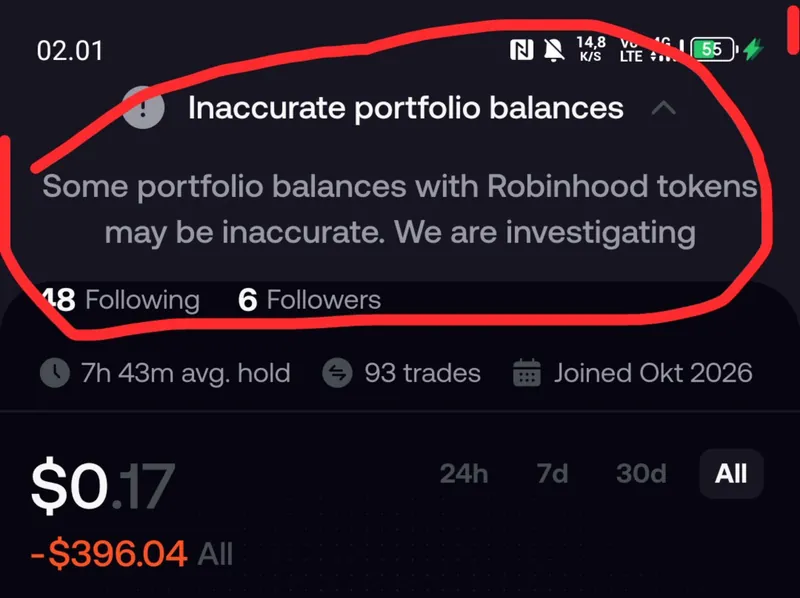
Balances can also read wrong on Fomo's side. In October 2026 some users saw an Inaccurate portfolio balances banner saying some balances with Robinhood tokens might be inaccurate while Fomo investigated. If you see a banner like that, check the explorer before you assume anything is gone. The guide to balances that don't show has more fixes.
Common questions
Do I need USDG to buy Robinhood Chain tokens?
No. Every buy comes out of your USDC cash balance, and Fomo handles the route.
Which wallet address is my Robinhood Chain address?
Your EVM address. It's the same on Base, BNB Chain, Monad, Ethereum, Arc, Elysium and Robinhood Chain.
Does Fomo pay the gas on Robinhood Chain?
No. Fomo pays network fees on Solana only. On Robinhood Chain the network fee is part of what you pay on each trade.
 Written by Mohammad ShahpariCrypto and SEO specialist
Did this answer your question?
Thanks for the feedback.