
What Is Slippage on Fomo and How Should You Set It?
Fomo slippage starts on Auto, which the app recommends for most swaps. Where to change it in the app, Quick Trades and web, and why it's saved per device.

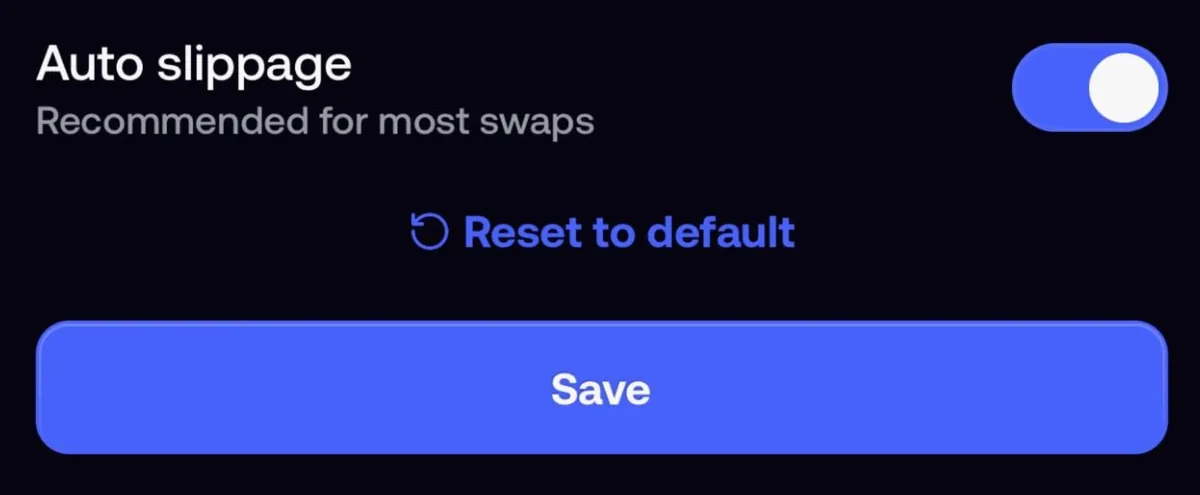
Slippage on Fomo is the gap between the price you're quoted and the price your trade fills at. The setting starts on Auto, which lets the app pick a tolerance for each trade, and Fomo marks Auto as recommended for most swaps. To change it in the app, open the buy or sell screen, expand the details and tap the Slippage row to open Edit slippage.
A custom value works as a ceiling on how far the price may move before the trade fails. Fomo added custom slippage alongside Quick Trades on September 30, 2026. The rest of this page covers where the setting lives on each device and why Fomo gives no "safe" number for thin coins.
Auto vs custom
| Auto | Custom | |
|---|---|---|
| Who sets the tolerance | The app, for each trade | You, as one percentage |
| What the Slippage row shows | Auto | Your percentage |
| Fomo's advice | Recommended for most swaps | No number suggested |
| If the price moves too far | The trade fails past the tolerance the app picked | The trade fails past your number instead of filling at the worse price |
Why max slippage is not the slippage you pay
The number you set is the worst move you'll accept between the quote and the fill. Your trade still fills wherever the pool is when it lands. If nothing moved in that second, you get about the quote, however high your ceiling is.
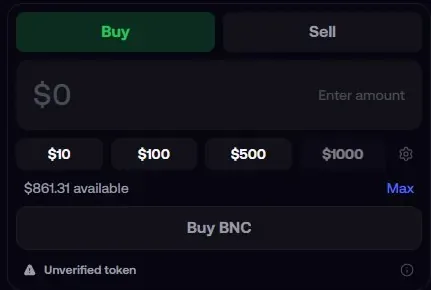
The ceiling matters when the price runs, and that's where thin coins bite. On a pool with little cash in it, other trades and your own order can move the price a long way in seconds. A high ceiling is exactly how a trade on a thin token fills far from the price you saw, which is why the app warns you when a custom value is high enough to fill at a much worse price.
Price impact is a separate number. It's already inside your quote: how far the quote sits below the market price because of your order size against the pool. Slippage is movement after the quote. When price impact is high the app asks you to confirm, and when it's too high the trade is refused with Price impact too high, whatever your slippage says.
Where to find the setting
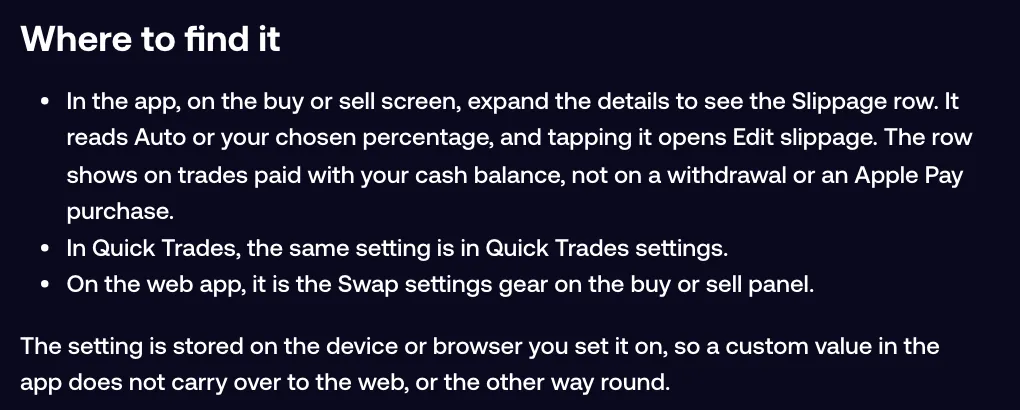
- App, regular trades: on the buy or sell screen, expand the details. The Slippage row reads Auto or your percentage; tap it to open Edit slippage.
- App, Quick Trades: tap the lightning bolt, then the settings icon on the panel. Quick Trades settings has an Auto slippage switch below your buy and sell amounts. Tap Save when you're done.
- Web: click the Swap settings gear on the buy or sell panel of the token page.
The Slippage row only appears on trades paid from your cash balance, so you won't see it on a withdrawal or an Apple Pay token purchase.
Is the setting saved per device?
Yes. Fomo stores slippage on the device or browser you set it on. A custom value on your phone doesn't follow you to fomo.family, and a value set on the web stays in that browser. If you trade in both places, set it in both, and check it again after you move to a new phone or browser.
What value to use on thin coins
Fomo doesn't publish a range. The app marks Auto as recommended and suggests no number, so any figure passed around on X is a personal habit. What the help center does support:
- Leave Auto on unless you have a specific reason to change it.
- If you set a custom value on a thin coin, keep it low and take the app's warning seriously. A higher ceiling makes a failed trade less likely and a bad fill more likely.
- When a small sell is blocked with "This sell could return less than the minimum USDC after fees. Increase the amount or reduce slippage," a tighter slippage is one of the two fixes. The rest of the sell flow is in how to sell a token on Fomo.
- Make the order smaller. Price impact comes mostly from order size against the pool, and no slippage value changes that.
When a fill lands far from the quote
A quote is the pool's price at the instant it's issued. If other trades land in the second before yours, you fill at the new price, and on a small pool your own order moves the price before it finishes. Some pools also advertise no fee to the systems that route trades, then take a large cut once an order lands, so a fill comes in below the quote with no visible fee.
Quick trades fire without showing the price impact estimate first, unless it's high enough for a review, so on a thin coin you see less before the fill. If a fill looks wrong, contact support from inside the app with the token and roughly when you traded, and they'll check what your order crossed on chain. More causes are in why a Fomo trade fills at a different price.
Common questions
Does a higher slippage make a trade more likely to go through?
Yes. The trade only fails when the price moves past your ceiling, so a higher one fails less often. The cost is a possibly worse fill.
What slippage does a perps stop loss use?
A built-in tolerance of 10%. When the trigger hits, the order fills at market within 10% of that level.
My custom value is gone. Why?
You're most likely on a different device or browser. The value stays where you set it.
 Written by Mohammad ShahpariCrypto and SEO specialist
Did this answer your question?
Thanks for the feedback.


