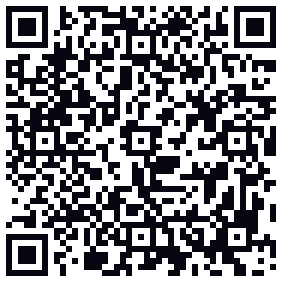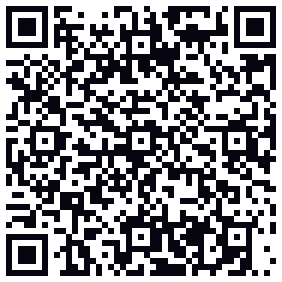
Fomo App Download

- 4.8App Store, 15.6K ratings
- 4.7Google Play, 500K+ installs
Download the Fomo app for iPhone, Android or the web and trade from one account on all three. The phone apps have every feature. The web version at fomo.family is the same wallet with bigger charts. Pick your platform below; each page carries the official FOMO Labs store link, the install steps and the referral code.
- Free, no subscription
- Developer: FOMO Labs, Inc.
- iOS 16.4+, Android with Google Play, any browser
GEMQUEENX
10% off fees


Where do I download the Fomo app?
You can download the Fomo app from the App Store for iPhone, from Google Play for Android, or open it in a browser at fomo.family. All three are free, published by FOMO Labs, and share one account and one balance.
Three ways in, one account, and the order we would do them in

People ask which version of Fomo to get as if it were a decision. It is not, really. The iPhone app, the Android app and the website are one account with one wallet, and whatever you do on one shows up on the others a second later. The real question is which one to open first, and the answer depends on where the money is coming from.
If you are funding with Apple Pay or Google Pay, start on the phone. The payment sheet is native there, the deposit lands in about a minute, and Face ID or fingerprint can be switched on before the first trade. If you are moving USDC from an exchange, it does not matter; paste the address from Settings, Account on whichever screen is in front of you. If you are on a Mac or a Windows PC with no phone nearby, open fomo.family, sign in with your email, and trade there. Nothing to install and the charts are bigger.
Two warnings that belong on a download page. There is no Fomo APK to sideload. The Android app is a Google Play listing under the package name family.fomo.app, and a file called fomo.apk on a forum is somebody else's code with access to a self-custodial wallet. The same goes for the App Store: the listing is "fomo - never miss out" by FOMO Labs, not the unrelated "Crypto Fomo" app that sits next to it in search results.
Whichever door you take, the sign-up screen is the same and it is the only place the referral field exists. Type referral code GEMQUEENX before you tap Continue. Adding it later means a support chat, and it takes 10% off every fee for the life of the account. That is the one step on this page worth slowing down for.
Fomo app download for iPhone, Android and web
Same app, three doors. Each page below has the official store link, what your device needs, and the problems people actually run into on that platform.
Fomo App iOS
The App Store listing, rated 4.8 by 15.6K users. Needs iOS 16.4 or later. Apple Pay deposits and Face ID on every trade.
iOS guide Google Play & APKFomo App Android APK
500K+ installs and 4.7 stars on Google Play. Google Pay deposits, fingerprint lock, and the honest answer on APK files.
Android guide DesktopFomo Web
No download at all. Open fomo.family on a Mac, Windows PC or Chromebook and get the same wallet with TradingView charts and one-click buys.
Web guideHow to download and set up the Fomo app
Five steps, about three minutes. Step two is the one people skip and later wish they had not.
Open the official listing 1 min
Go to the iPhone page or the Android page and tap the store button there. On a computer, type fomo.family into the address bar and skip the stores entirely.
Check the developer Safety
The developer line must read FOMO Labs, Inc. The iPhone app is listed as "fomo - never miss out" and the Android package name is
family.fomo.app. A different developer name means a clone, and clones of wallet apps exist to steal.Install and sign up
Sign up with an email code, your Apple ID or your Google account. While you type, Fomo creates a self-custodial wallet in the background. You will not see a seed phrase, and no real Fomo screen ever asks for one.
Enter the referral code 10% off
Type referral code
GEMQUEENXinto the field on the sign-up screen. Every trading fee drops 10% for as long as the account exists, and the app asks for the code on that one screen only, so have it copied before you start.Add money
Apple Pay or Google Pay is the fastest, a debit card works too, and both run through the Coinbase on-ramp. Sending USDC or SOL from another wallet is the cheapest. You can trade from about $2, but the $0.95 fee floor means anything under $20 is an expensive trade.
Is there a Fomo APK download?
No official one. FOMO Labs ships the Android app through Google Play and nowhere else. Sites that advertise a "Fomo APK download" are mirroring the Play file with a delay at best, and at worst shipping a build that has been opened, edited and repacked. Fomo is a self-custodial wallet, so half of your private key sits inside the app on the phone. A tampered build can read it. That makes a wallet app the one category where sideloading is a real risk rather than a theoretical one.
No Google Play on your phone, or the listing is hidden in your country? Open fomo.family in Chrome. The web app has the same wallet, feed, leaderboards and trading, and Chrome can pin it to the home screen. The Android page goes into the details.
What you need to download the Fomo app
| Platform | Requirement | Notes |
|---|---|---|
| iPhone / iPad | iOS 16.4 or later, about 107 MB | Face ID or Touch ID for trade confirmation; age rating 18+ |
| Android | Google Play with Play Services, around 100 MB | Google Pay deposits; fingerprint or face unlock |
| Web | Chrome, Safari, Firefox or Edge | Same login as mobile; no extension needed |
| Account | Email, Apple ID or Google account | No KYC for trading; the card on-ramp may ask for a name |
| Region | Not in a restricted country | See the list of 12 blocked countries |
After the download
- Finish sign-up: username, picture, a line of bio. Your profile and trades are public on the feed, your balance is not.
- Deposit. Apple Pay and Google Pay land in about a minute. USDC from an exchange takes longer and costs less.
- Follow four or five traders from the Solana leaderboard. An empty feed is the main reason new users close the app on day one.
- Make a first buy of $20 to $50. Smaller and the fee floor eats it; larger and you are learning with money you will miss.
- Export the private key from wallet settings and keep it offline. If you ever lose both your email and your Apple or Google login, that key is the only way back in.
One app for every market
The download gets you more than memecoins. By August 2026 the same balance in Fomo covered spot tokens on six chains, Robinhood stock tokens for users outside the US, and perps on crypto, US stocks, indices and commodities for users outside the US. Discover it in the feed, trade it from the same screen.
The restrictions travel with the market, not the app. Spot trading works everywhere the app is available, including the US; stock tokens and perps hide themselves from US accounts. Installing the app never asks which you plan to use.
Download questions
Is the Fomo app free to download?
Yes. The download is free on the App Store, on Google Play and on the web, and there is no subscription. Fomo earns from a 0.5% fee on each spot trade and 0.05% per side on perps. Enter referral code GEMQUEENX at sign-up and those fees drop by 10%.
Is there a Fomo app for Windows or Mac?
There is no installer. On a computer you use the web app at fomo.family in Chrome, Safari, Firefox or Edge. It is the same account, the same wallet and the same balance as the phone app, with bigger charts.
Can I download Fomo on my phone and also use it on desktop?
Yes. Sign in with the same email, Apple ID or Google account on every device. Positions, the feed, alerts and your PnL are identical everywhere, and a trade placed on the phone shows on the web within seconds.
Why does the Fomo app not show in my App Store or Google Play?
Three usual causes. Your store region is one of the twelve restricted countries. Your Apple ID or Google account has an age or content limit below the app rating, which is 18+ on iOS. Or you searched "fomo" and landed on a different app with a similar name. Search for "fomo - never miss out", check the developer is FOMO Labs, Inc., and if the listing is still hidden, open fomo.family in the browser.
Do I need a crypto wallet before I download the Fomo app?
No. Fomo creates a self-custodial wallet for you the moment you sign up. There is no seed phrase to write down and no wallet to connect. If you later want to move tokens to Phantom, Backpack or MetaMask, you can export the private key from the wallet settings.
Is there a Fomo APK I can download directly?
Not an official one. FOMO Labs publishes the Android app only on Google Play. APK files from other sites are repackaged copies at best. Because Fomo holds half of your wallet key on the phone, a tampered build can drain the account, so use the Play listing or the web app.
Download Fomo, paste the code, pay 10% less on every trade
The referral field appears once, on the sign-up screen. Copy the code now so it is on your clipboard when you get there.
GEMQUEENX
10% off fees