How to Find Your Fomo Transaction History and Transaction Hash
Fomo's History screen shows no transaction hash. Copy your address and look it up on Solscan, Basescan or the right explorer for each of the 8 chains.

Your Fomo history is behind the clock icon at the top of the Portfolio tab. It opens History, which you can filter by All, Transfers, Trades or Cash. History doesn't show a transaction hash, though. To get one, copy your wallet address (Portfolio tab, gear icon, Profile and Account, addresses row), paste it into the block explorer for that chain, such as Solscan for Solana, and copy the hash from the matching transfer.
There is one shortcut. When a withdrawal completes, the app shows a View on Solscan or View on block explorer link that opens the transaction directly. For everything else, the steps below work on all eight chains.
Your history in the app
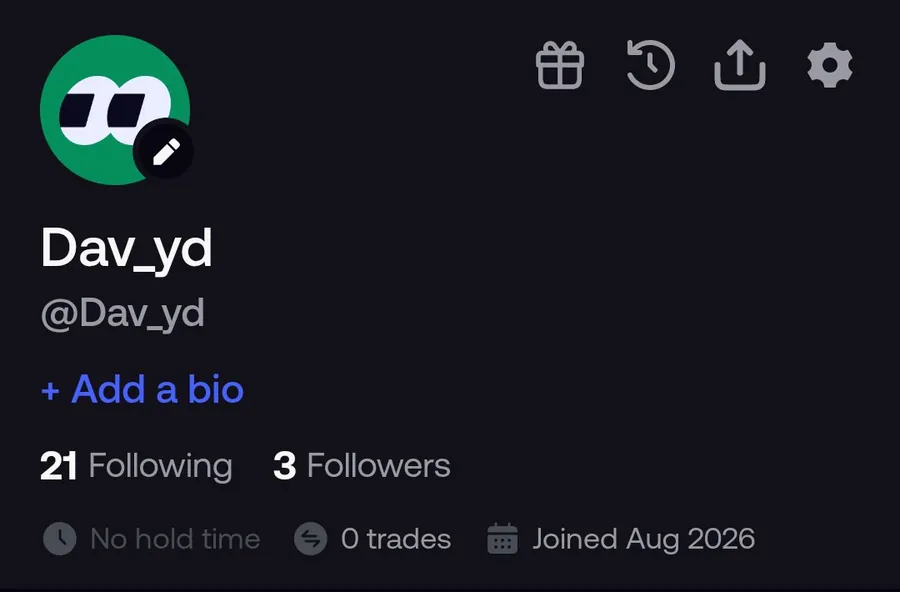
- Open the Portfolio tab. Its icon is your avatar.
- Tap the clock icon at the top of your profile.
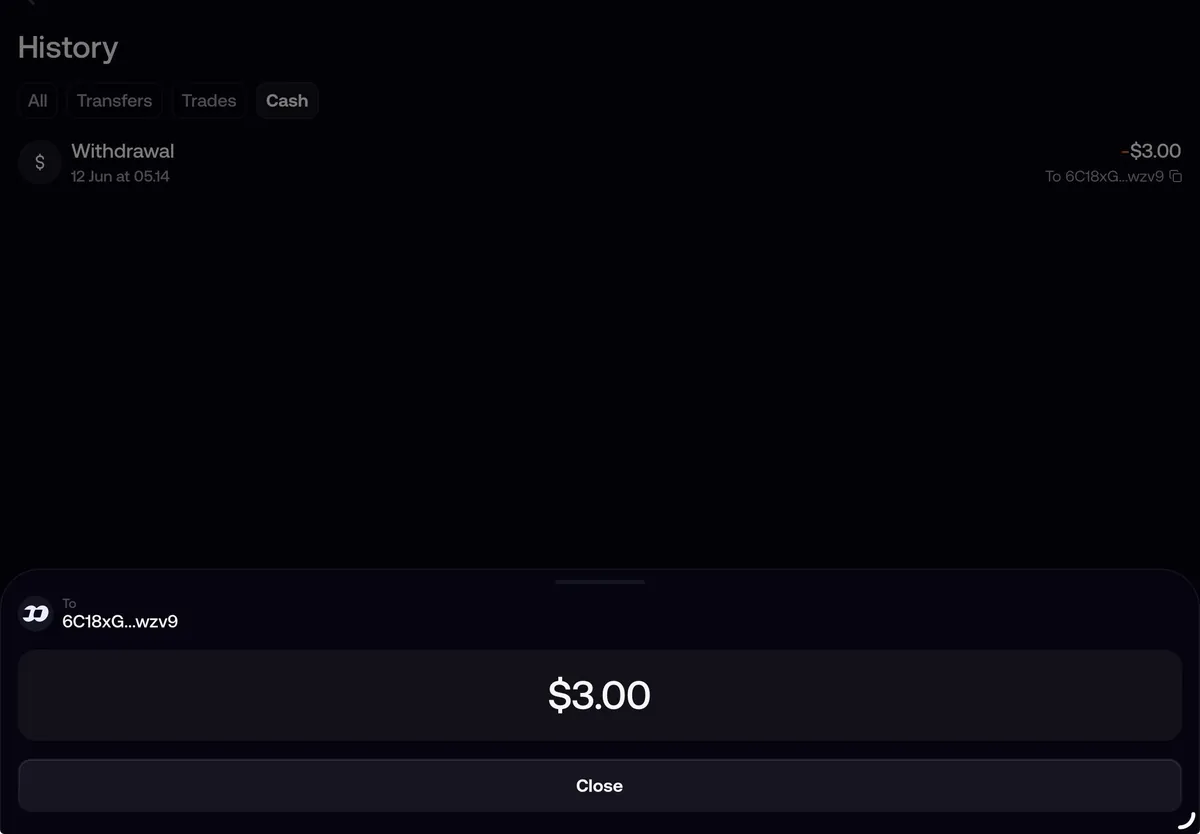
- Pick a filter. Transfers shows sends and deposits. Trades shows buys and sells, including perps fills. Cash shows deposits and withdrawals.
Each entry shows the type of transaction, the date, the amount and who it involved. A Send you received with a note shows View message, which opens the note.
For trades, your positions are often quicker. Open lists what you hold now and Closed lists finished trades with the date and realized PnL. Tap any position to see your average entry, the amount you bought, what you paid and what you received. Since October 2026 you can also search your closed positions.
Your history on the web
The web app at fomo.family has no History screen. The clock icon on your profile opens Transfers, which lists transfers only. Your trades are in the positions table on your profile, with Avg. entry, Position, Avg. exit and PnL for each token.
How to find the transaction hash
- Copy your address. In the app: Portfolio tab, gear icon, Profile and Account, then tap the addresses row to expand it. On the web: account menu, then Manage account.
- Tap the row for the chain the transaction was on. Solana has its own address, while Base, BNB Chain, Monad, Ethereum, Robinhood Chain, Arc and Elysium share one EVM address. Tapping copies it.
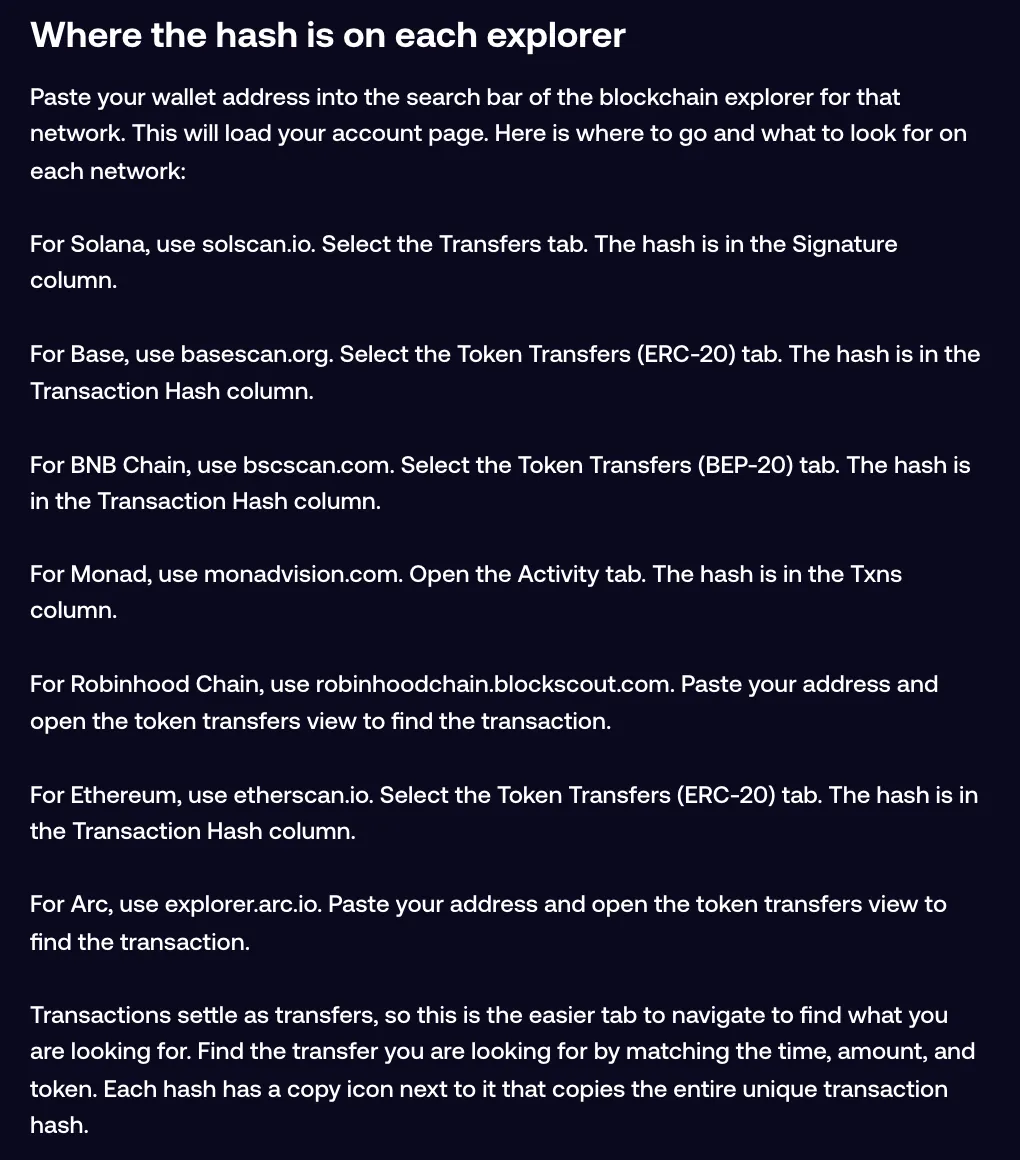
- Open that chain's explorer from the table below and paste the address into its search bar. Your account page loads.
- Open the transfers tab and find the row that matches the time, amount and token.
- Tap the copy icon next to the hash. It copies the whole hash, not the shortened version on screen.
If you aren't sure which address is which, the guide to your Fomo wallet addresses shows both.
Which explorer to use for each chain
| Chain | Explorer | Tab to open | Where the hash is |
|---|---|---|---|
| Solana | solscan.io | Transfers | Signature column |
| Base | basescan.org | Token Transfers (ERC-20) | Transaction Hash column |
| BNB Chain | bscscan.com | Token Transfers (BEP-20) | Transaction Hash column |
| Monad | monadvision.com | Activity | Txns column |
| Ethereum | etherscan.io | Token Transfers (ERC-20) | Transaction Hash column |
| Robinhood Chain | robinhoodchain.blockscout.com | Token transfers | In the transfer row |
| Arc | explorer.arc.io | Token transfers | In the transfer row |
| Elysium | elysium.kinetiq.xyz/explorer, run by Kinetiq | Your address | Or copy it from the wallet you sent from |
Start with the transfers tab even for a trade. Trades settle as transfers, so that's the easiest place to spot yours.
Reading the explorer page
One trade can fill several rows that share the same hash. In the Solscan screenshot below, a single Fomo transaction shows up as seven rows with the same signature, one of them going to an address Solscan labels Fomo Fees Vault. Match the time and the amount you care about, then copy that row's hash.
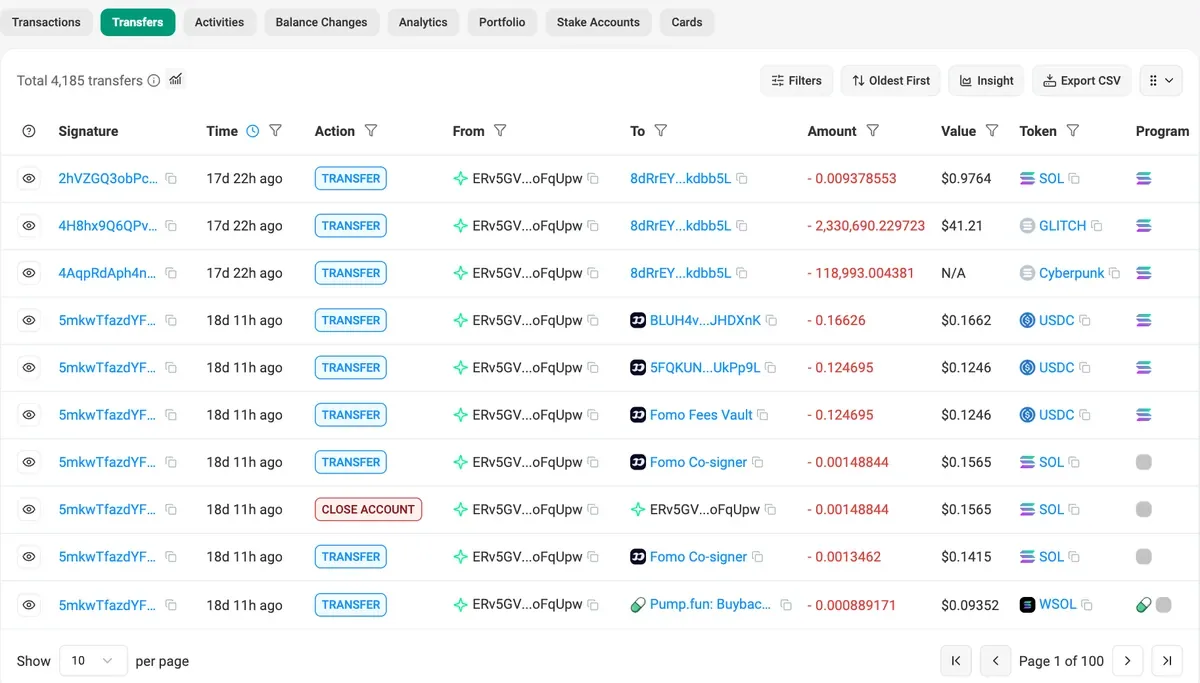
Solscan's Transfers tab also has an Export CSV button. That matters because Fomo itself has no PDF, CSV or statement export of your history, in the app or on the web. If you need records for taxes, the Fomo tax report is built for that.
When you can't find it
- The explorer shows nothing. You probably pasted the wrong address. A Solana address won't load on Basescan, and each EVM explorer shows only its own chain, even though your EVM address is the same on all of them. Use the explorer for the chain the money moved on.
- A deposit hasn't arrived. Ask the sending exchange or wallet for the hash; it's usually in their withdrawal history. Then go through what to do when a deposit isn't showing.
- An exchange or broker wants a reference ID. Fomo's History doesn't have one. Give them the transaction hash from the explorer.
- You spot a transfer you didn't make. Copy its hash and follow what to do about a transaction you did not make.
Common questions
Can I download my Fomo history?
No. There's no PDF, CSV or statement export in the app or on the web.
Is it safe to share a transaction hash?
Yes. A hash points to a public record that anyone can look up. Sharing it with support or an exchange is normal. Your private key is the thing you never share.
Where do perps trades show up?
In History under Trades, which includes perps fills.
Related: how to read your PnL on Fomo.
 Written by Mohammad ShahpariCrypto and SEO specialist
Did this answer your question?
Thanks for the feedback.