
How to Sell a Token on Fomo and Get Cash Back to Your Balance
Tap Sell, pick an amount or a percentage, slide to confirm. The USDC lands in your cash balance, and the minimum sell is 2 USDC (5 USDC on Ethereum).

To sell a token on Fomo, open it from your holdings or its token page, tap Sell, type a dollar amount or tap a percentage button, check the details and slide to confirm. The 100% button sells the whole position. The money lands in your cash balance as USDC, whatever chain the token was on, so you can spend it on the next trade straight away or withdraw it.
Most failed sells come down to size or liquidity. The minimum sell in the app is 2 USDC on most networks and 5 USDC on Ethereum, and a coin with a thin pool can refuse a big order. Both are covered below, along with fees and selling on the web.
How to sell in the app
- Open the Portfolio tab and tap the position, or search the token and open its page.
- Tap Sell. The screen shows what your position is worth as available.
- Type a dollar amount, or tap a percentage button under it. 100% sells everything you hold.
- Expand the details and read the fee, network fee, price impact and slippage rows.
- Slide to confirm. The sale settles on chain and can't be reversed.
The "I understand the risks" step on warning labels is only for buys, so a sell in the app never asks for it. On an EVM chain a High network fee sheet can still appear after you submit; tick I understand to carry on.
Full sell or partial sell
A partial sell keeps the rest of the position open, which is how most people take profit on a coin that's still running. Your PnL keeps counting both what you sold and what you still hold.
| Way to sell | Where | What happens |
|---|---|---|
| Percentage button, such as 25% or 50% | App sell screen | Sets the amount to that share of your position; you still slide to confirm |
| 100% button | App sell screen | Sells the whole position |
| Quick Trades sell chip | App, behind the lightning bolt | Sells that percentage in one tap, with no slide step |
| Lightning button on a position row | Web, open positions list | Sells a preset percentage in one click |
When you mean to sell nearly all of a coin, sell 100%. A 5% leftover can drop under the minimum and get stuck. If you sell often, Quick Trades puts your usual percentages one tap away.
Where the money goes
Proceeds go to your cash balance, the USDC on Solana that pays for buys on all eight chains. On the Portfolio tab the cash row sits under your chart; the plus sign next to it deposits, and the three dots open Withdraw and Send.
A full sell moves the position to Closed on your profile, with its realized PnL, and every sell is listed in History (the clock icon on your profile) under Trades. To move the money out of Fomo, see how to withdraw from Fomo.
Fees on a sell
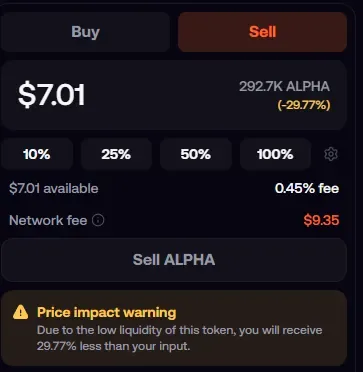
A sell costs the same as a buy, and the fees come out of the amount you sell. On Base, BNB Chain, Monad, Robinhood Chain, Ethereum, Arc and Elysium, Fomo's fee is 0.50% plus a network fee that you pay. On Solana, Fomo covers gas and the fee depends on the route and size: on the lowest-fee route a sell under 5 USDC costs 0.10 USDC, and from 190 USDC up it's 0.50%. On a small EVM position the network fee can be bigger than the sale itself, as in the screenshot above.
The minimum sell and leftover dust
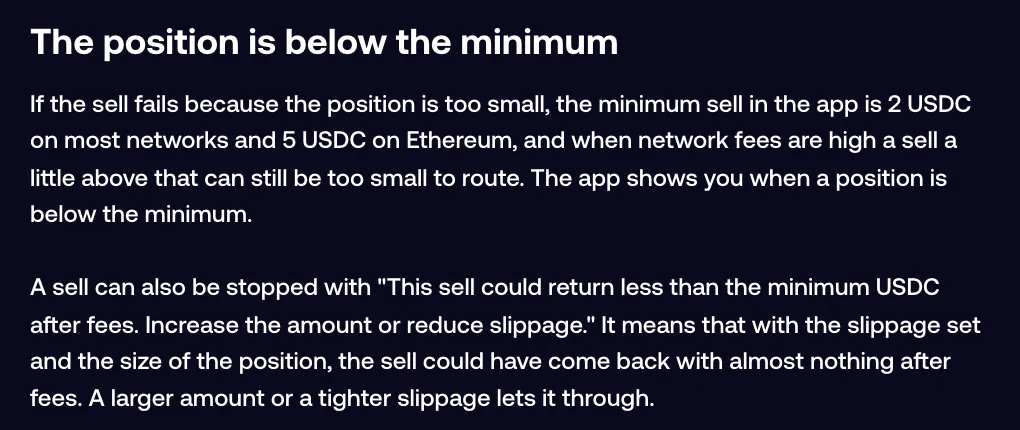
The app won't sell a position worth less than 2 USDC on most networks, or 5 USDC on Ethereum, because the blockchain fees would cost more than the position is worth. When network fees are high, a sell a little above that can still be too small to route. The app tells you when a position is under the minimum.
A related block reads "This sell could return less than the minimum USDC after fees. Increase the amount or reduce slippage." With your slippage setting and that size, the sale could have come back with almost nothing. Sell a larger amount, or tighten slippage as explained in how slippage works on Fomo.
What's left under the minimum is dust. Fomo hides holdings under 2 dollars by default, and the tokens stay in your wallet. What happens to dust on Fomo explains how to reach them.
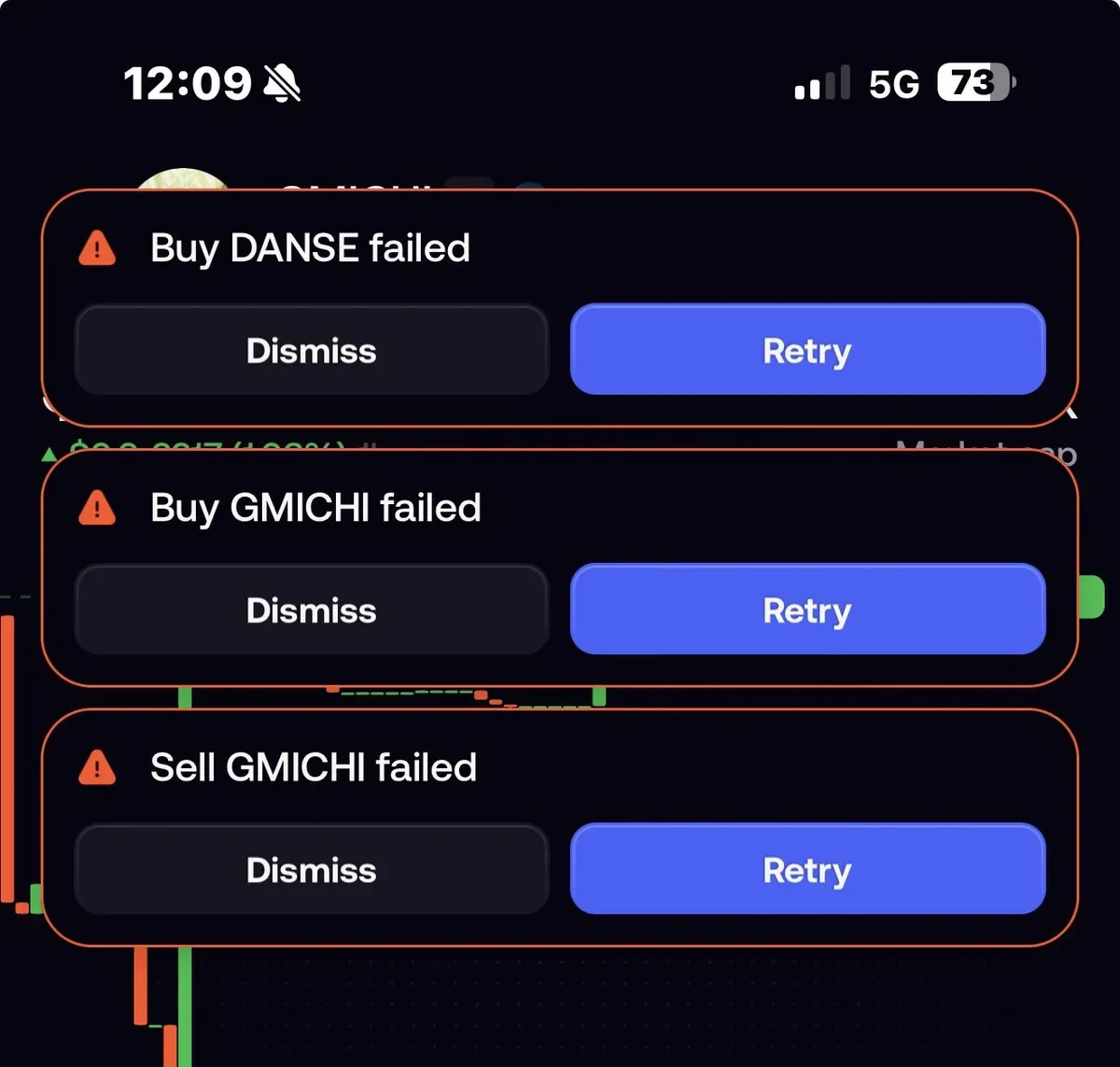
Why a sell fails on a thin coin
A pool with little cash in it can't absorb a big sell. The Price impact row shows how far your quote sits below the market price; a high figure brings a warning to accept, and a very high one stops the trade with Price impact too high. A smaller slice often gets through, since price impact comes mostly from order size against the pool.
Other failures have nothing to do with size:
- The liquidity was pulled. The token can still show a large value, but that figure is a quote from a nearly empty pool, and no app can sell into it.
- No route exists at that moment, most often on Robinhood Chain. The tokens are still yours, and support can check the token.
- The contract blocks sales, sometimes for specific wallets. Fomo can't override that, and moving the token elsewhere doesn't help.
- A warning label carries a block: Transfer tax token, Not available in your region, Market closed and Trading limited disable Sell as well as Buy.
Selling on the web
On fomo.family, open the token page, switch the trade panel to Sell, enter the amount and click the sell button. If the token's top warning is severe, the web asks you to tick "I understand the risks of trading this token" on sells too. On EVM chains a High network fee box can appear, and the button stays off until you tick it. Each row of your open positions list also has a lightning button with sell presets in percent, for quick trims.
Common questions
Can I set a sell at a target price?
Not on spot tokens. Spot sells fill at market when you tap, and limit orders, take profit and stop loss exist on perps only. Ways to manage risk without a stop loss covers the workarounds.
Can I sell a token someone sent me?
Yes. A token transferred into your wallet trades the same as one bought in the app, as long as it has a route and clears the minimum.
 Written by Mohammad ShahpariCrypto and SEO specialist
Did this answer your question?
Thanks for the feedback.


