
Where to Find Your Fomo Wallet Addresses for Each Chain
Your Fomo wallet has one Solana address and one EVM address for seven chains. Where to find and copy them, which to give for each chain, which explorer to use.

Your Fomo wallet addresses are in Settings: open the Portfolio tab, tap the gear icon, then Profile and Account, and expand the addresses row. You have two addresses in total. One is your Solana address. The other is a single EVM address that is the same on Base, Ethereum, BNB Chain, Monad, Robinhood Chain, Arc, Elysium and Hyperliquid. Tap any row to copy it.
You need them when someone wants to send you crypto, when an exchange asks for a withdrawal address, or when you want to check your history on a block explorer. Here's where to find each one and how not to mix them up.
How to find your addresses in the app
- Open the Portfolio tab, the last tab in the bottom bar. Its icon is your profile picture.
- Tap the gear icon at the top right to open Settings.
- Tap Profile and Account.
- Scroll past your display name and bio and tap the addresses row to expand it.
- Tap an address to copy it.
The list shows your Solana address first, then one row per EVM network: Base, Ethereum, BNB Chain, Monad, Robinhood Chain, Arc and Elysium, plus Hyperliquid. Every EVM row shows the same address. That's not a display bug; one EVM address works on every EVM network.
How to find them on the web
At fomo.family, hover your profile picture at the top of the page and choose Manage account, or go to Settings, then Account and addresses. The same rows appear as soon as the panel opens.
The other place an address appears: Deposit
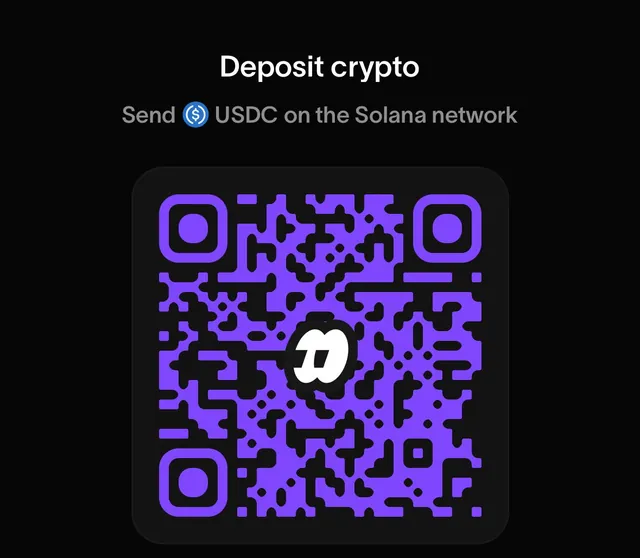
When you tap Deposit, then Crypto, and pick a network, Fomo shows the deposit address for it, often with a QR code. It's the same Solana or EVM address you see in Settings. The deposit screen has one advantage: it also shows that network's minimum and reminds you which coin to send, USDC everywhere except USDG on Robinhood Chain.
Which address do I give for which chain?
| Chain | Address | Block explorer |
|---|---|---|
| Solana | Your Solana address | solscan.io |
| Base | Your EVM address | basescan.org |
| BNB Chain | Your EVM address | bscscan.com |
| Monad | Your EVM address | monadvision.com |
| Ethereum | Your EVM address | etherscan.io |
| Robinhood Chain | Your EVM address | robinhoodchain.blockscout.com |
| Arc | Your EVM address | explorer.arc.io |
| Elysium | Your EVM address | elysium.kinetiq.xyz/explorer |
A Solana address and an EVM address look nothing alike, which helps. EVM addresses start with 0x and run to 42 characters. Solana addresses are 32 to 44 letters and numbers with no 0x in front.
Checking your history on a block explorer
Paste your address into the explorer for the chain you care about and you'll see every transfer in and out, with its transaction hash. It's the quickest way to confirm a deposit actually arrived at your address, or that a withdrawal left. Support asks for the transaction hash when something doesn't show up, and the explorer is where you find it if the app's History screen doesn't have it.
Same address, different networks: the trap
Because your EVM address is the same everywhere, a sender can pick the wrong network and the transfer still "succeeds". USDC sent to your address on Arbitrum, Polygon or Optimism lands at your address on that network, but Fomo doesn't read those networks, so it never appears in the app. The funds aren't lost; you can reach them by exporting your EVM key into another wallet. The guide to depositing USDC walks through the recovery.
The opposite mistake can't be fixed. If you paste an address that isn't yours, or one from a finance app like PayPal or Robinhood, the funds go to whoever owns that address.
Common questions
Can I change my Fomo wallet address?
No. The addresses are created with your account and stay the same. A different Apple ID or Google login would give you a different account with different addresses.
Is it safe to share my address?
Yes. An address only lets people send to you and look up your public history. Never share your private key; that's what controls the wallet.
Why is there a Hyperliquid row?
It's for funding your perps account. USDC sent there goes to perps, not to your spot cash balance.
Related: which blockchains Fomo supports and how to withdraw from Fomo.
 Written by Mohammad ShahpariCrypto and SEO specialist
Did this answer your question?
Thanks for the feedback.


