
How to Deposit Money on Fomo: Every Method Compared
Compare every Fomo deposit method: debit card, Apple Pay from $5, US bank ACH in 1 to 3 business days, Cash App, Coinbase and USDC on seven networks.

Depositing on Fomo means adding money to your cash balance so you can trade. Your cash is USDC in your Solana wallet, and that one balance pays for tokens on every chain Fomo supports. New here? Start with what the Fomo app is or how to create a Fomo account. For how the cash number works once funds land, read the Fomo cash balance guide.
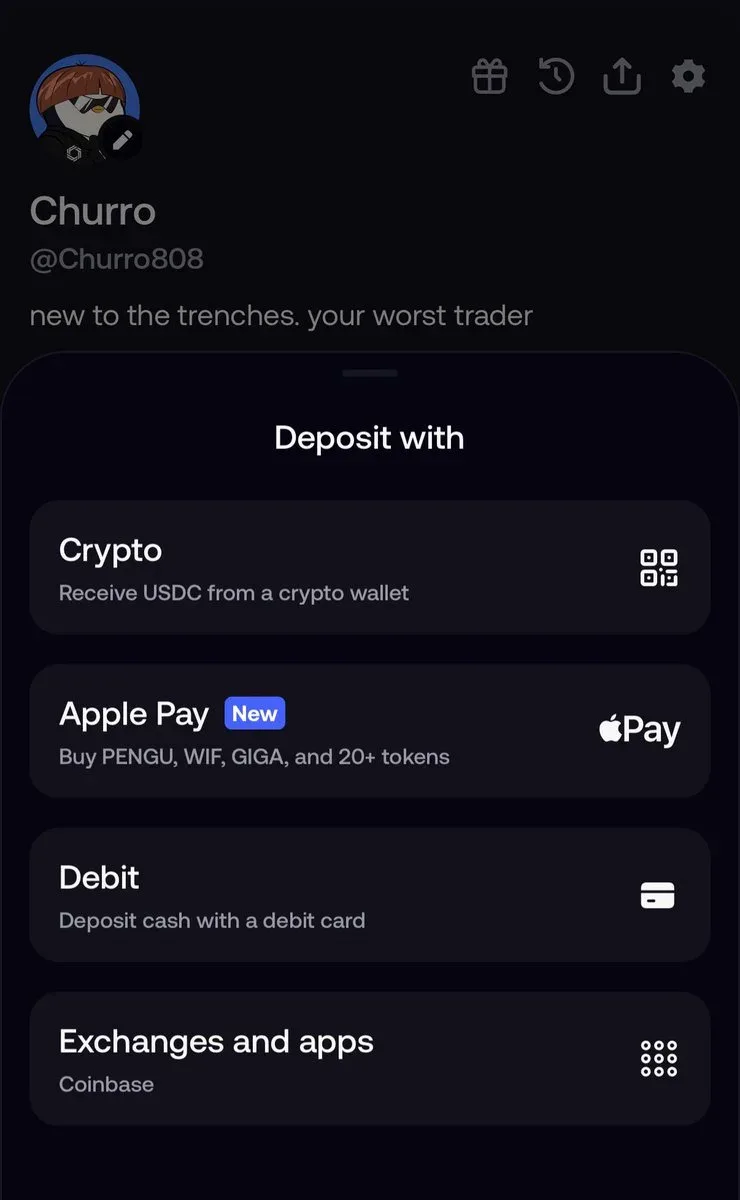
Tap Deposit on Home, or the plus sign next to your cash on Portfolio. The Deposit with screen lists the methods your account can use: Crypto, Apple Pay, Debit, Bank Account and Exchanges and apps. The list changes by region and account, so you may not see every row.
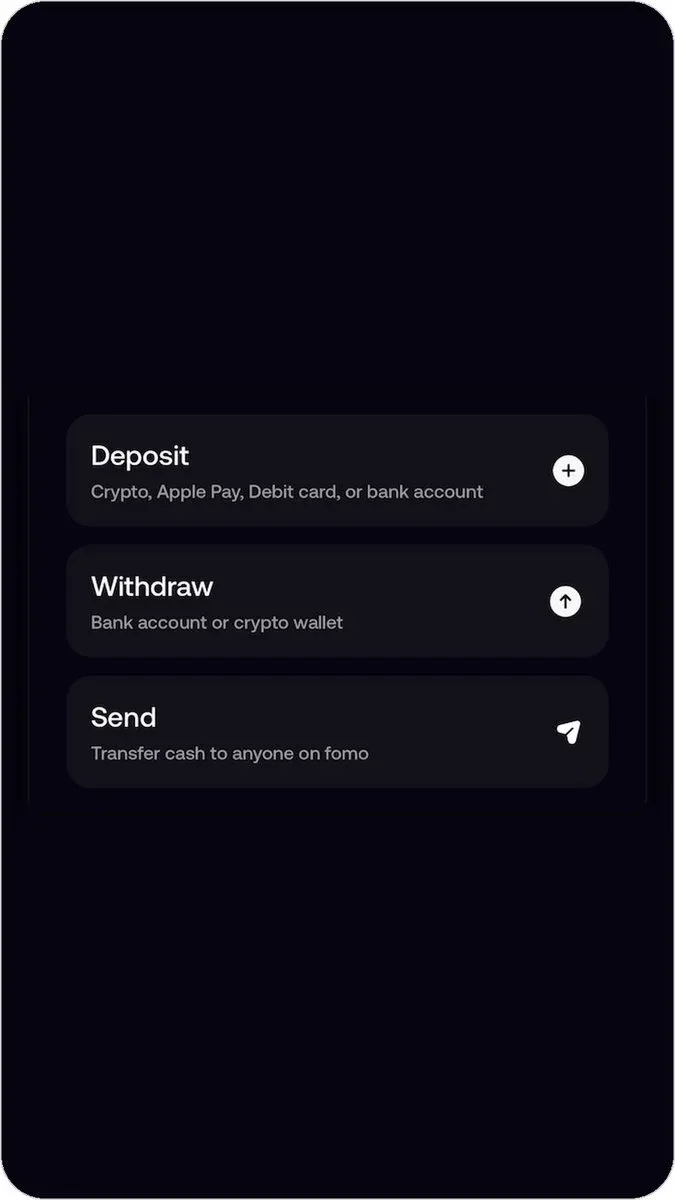
On the phone a short menu also groups Deposit with Withdraw and Send. Deposit covers crypto, Apple Pay, debit card and bank account where those are available. The web app at fomo.family offers Crypto only. Card and bank deposits stay in the mobile app.
Which method fits a first small deposit
If you already hold USDC, Crypto is usually the cheapest path. Fomo does not charge its own fee for a USDC send. Solana has no minimum and often credits within seconds to a few minutes.
If you have no crypto yet and want cash to spend on any token, use Debit. On iPhone that same Debit flow can open with Apple Pay selected when your account has it. With Apple Pay the minimum is 5 dollars. With a debit card, the screen shows the minimum for that method before you confirm. Either way, funds are usually ready within a few minutes.
The Apple Pay row on Deposit with buys one listed token right away. Your cash balance does not go up. Use it only when you already know which coin you want.
Bank Account is US bank ACH. It often takes 1 to 3 business days and needs identity verification the first time. Cash App and Coinbase sit under Exchanges and apps when your account shows them.
Debit card
Tap Debit. If Deposit cash opens with Apple Pay selected, tap the payment method row, open Details and pick Debit card. Enter the amount, then your card number, expiry, CVV and billing address on the provider checkout. The screen shows the minimum for your payment method before you confirm, and amounts can include cents.
Fomo accepts bank-issued debit cards. Prepaid cards, virtual cards, Cash App Card, Venmo, PayPal and Apple Cash get declined. Billing address, ZIP or postcode and CVV must match your bank's records. Some banks block crypto purchases by default, and a call often clears it. A pending charge on a failed try is an authorization hold that usually clears in 1 to 3 business days. Successful debit deposits land as USDC and are usually ready within a few minutes.
Apple Pay: cash top-up versus buying a token
Apple Pay on Fomo has two paths, and mixing them up confuses a lot of new users. Both are covered step by step in topping up versus buying a token with Apple Pay.
Cash with Apple Pay
Open Deposit, tap Debit, and keep Apple Pay selected on Deposit cash when it is available. Enter at least 5 dollars, review the provider fee at checkout, then confirm with Face ID or Touch ID. The USDC lands in your cash, usually within a few minutes.
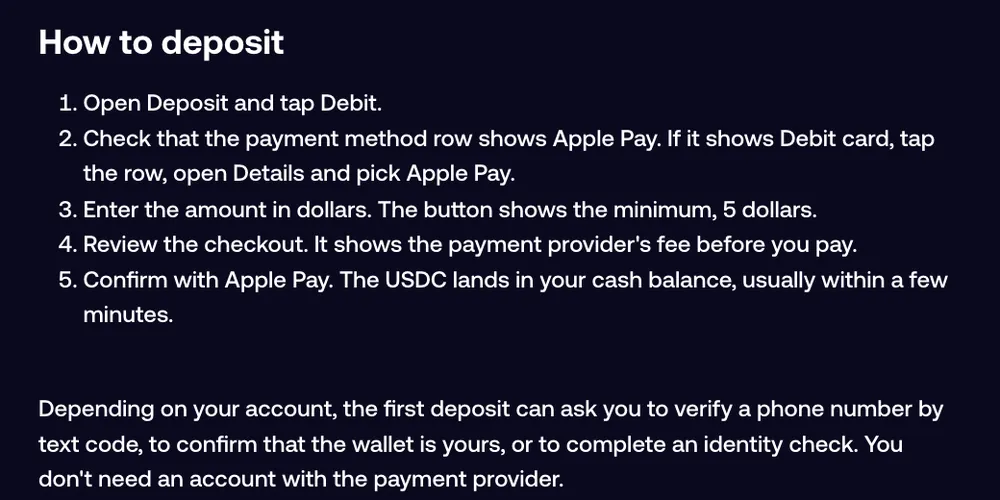
Fomo adds no fee of its own. The provider fee comes out of the charge, so landed USDC can be a little less than the dollars your bank shows. Only bank-issued debit cards in Apple Wallet work. Apple Cash, prepaid and virtual cards fail even through Apple Pay. Limits and deposit caps show under Details. Your bank statement may show the provider's name instead of Fomo. The first deposit can ask for a phone code, wallet check or identity check.
Buy a token with Apple Pay
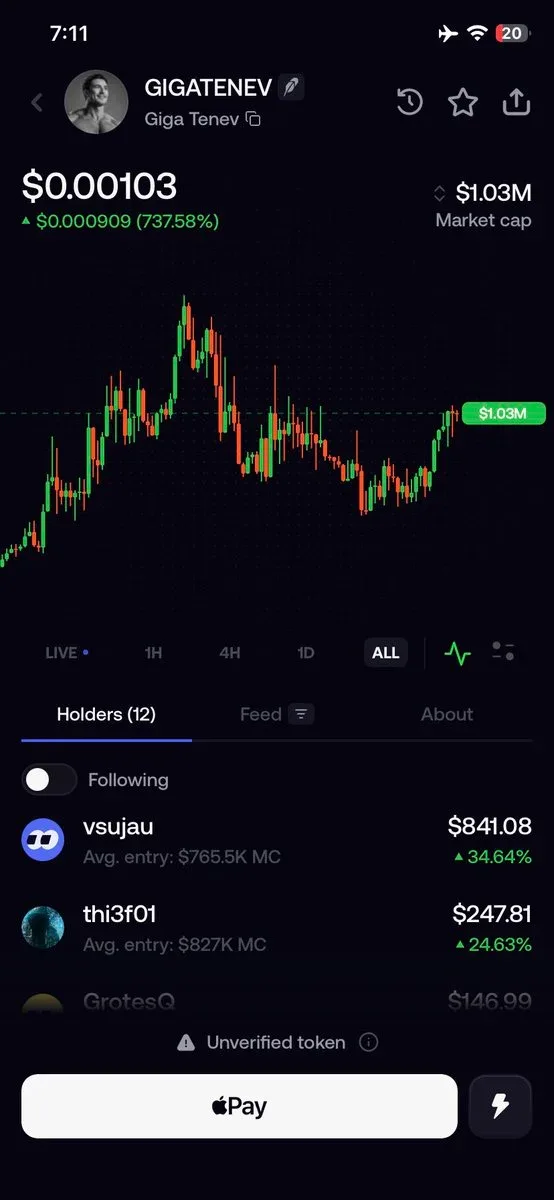
The Apple Pay tile on Deposit with buys a specific token. You pick the coin, enter the amount and authorize. The money goes into that token. Your cash stays the same. These direct purchases go through Crossmint and have a daily limit of 2,500 dollars. Some token pages also show an Apple Pay button when the purchase is available to your account.
Bank Account
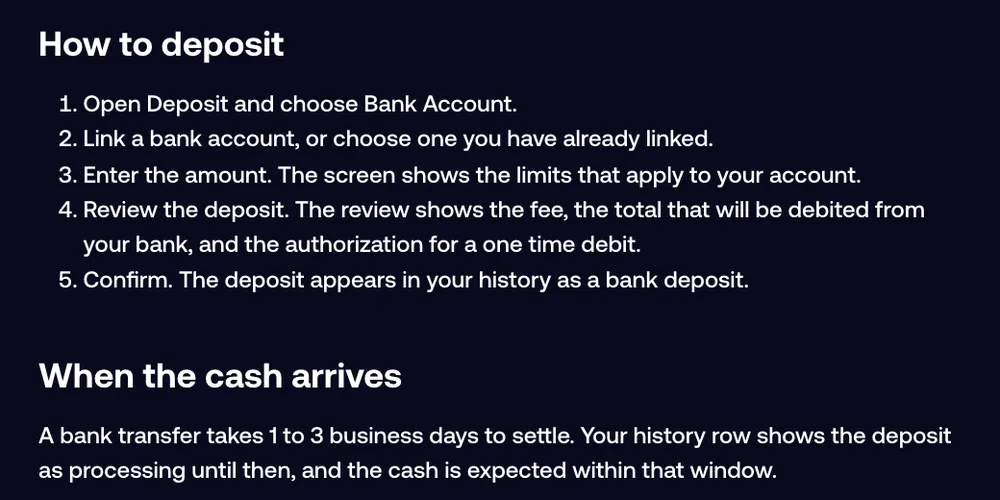
Some accounts see Bank Account on Deposit with. It funds cash by ACH from a US bank. The first time, Fomo's bank partner runs identity verification and bank linking. The same check covers bank withdrawals later.
Link or pick a bank, enter an amount within the limits shown, review the fee and total debit, then confirm. Settlement takes 1 to 3 business days. History may say processing until cash arrives, and some deposits show cash available while the transfer still settles. Only one bank deposit can be pending at a time.
Exchanges and apps
Exchanges and apps lists partners your account can use. Coinbase and Cash App are the common ones. You fund Fomo from a balance you already hold there, and USDC arrives in your cash once the payment completes.
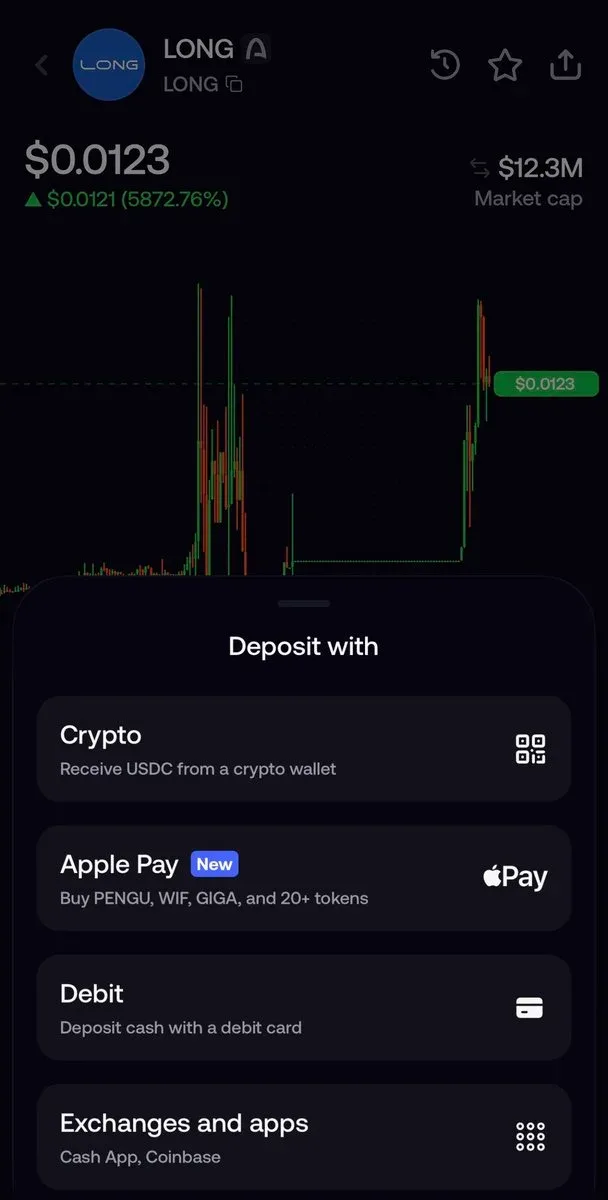
Not every account sees the same partners. A Cash App Card typed into Debit is prepaid and gets declined. Buying Bitcoin in Cash App and sending it also fails, because Bitcoin is not a supported deposit network. You do not need Coinbase for debit or Apple Pay.
Crypto: USDC by network
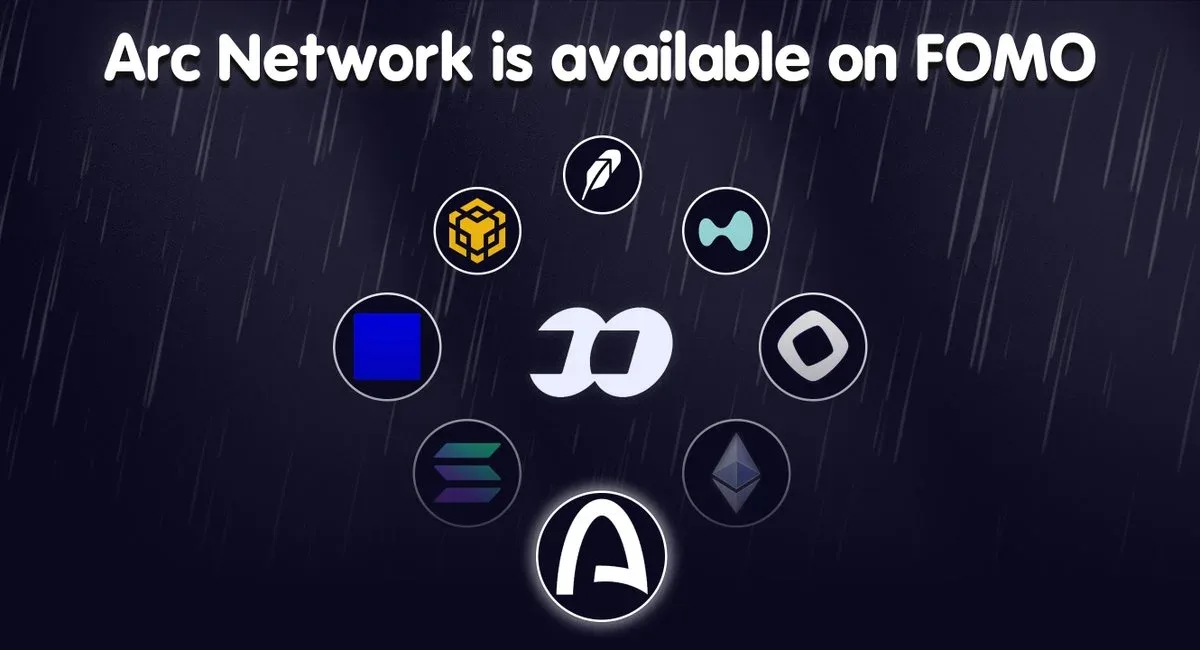
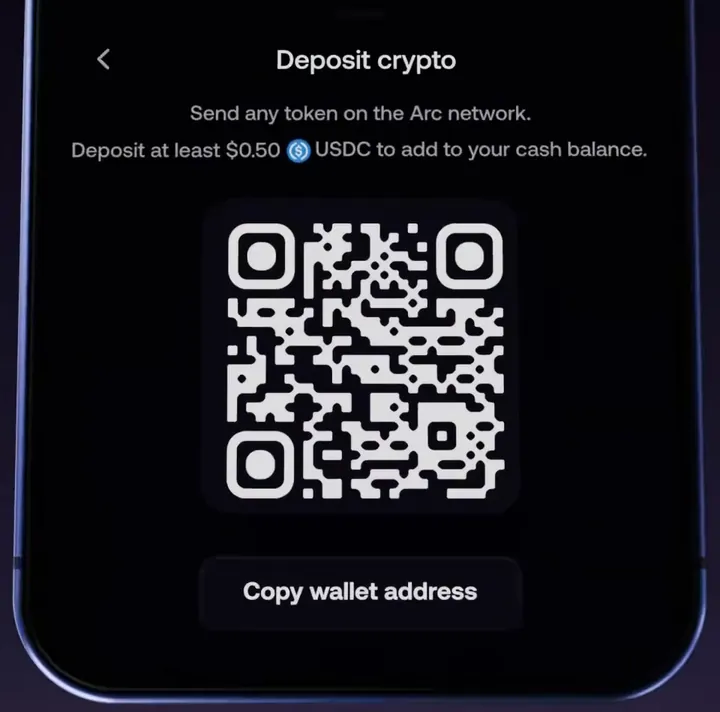
Tap Crypto and pick the network your USDC is on. Fomo supports USDC on Solana, Base, BNB Chain, Monad, Ethereum, Arc and Elysium. Robinhood Chain takes USDG instead of USDC. The app copies the address and shows that network's minimum when one applies. Solana has none. Base, BNB Chain and Monad have a 0.50 USDC minimum, and Ethereum's is the highest and changes.
Send only USDC on the same network you picked. On Robinhood Chain, send USDG with a minimum of 0.50 USDG. It converts into Solana USDC cash on arrival. Do not send USDC to Robinhood Chain, and do not send USDG on any other network.
A Solana deposit shows in cash once it confirms, often within seconds to a few minutes. On other networks, funds land in your wallet first and move into cash while you are signed in, once the amount clears that network's minimum. The EVM networks share one deposit address. Solana has its own.
Other tokens arrive as tokens, not cash. Funds on an unsupported network never show in the app. On an EVM network they are still at your address, and the guide to depositing USDC from another wallet or exchange shows how to move them back. If you hold SOL, ETH, BNB or MON with no USDC, a Sell tile can turn that coin into cash. The Hyperliquid row funds perps, not spot cash.
Common deposit problems
Wrong asset or wrong network is the top crypto mistake. Match USDC or USDG to the network before you send. For EVM deposits that sit in your wallet, keep the app open and signed in so cash can credit above the minimum.
Card declines often come from prepaid cards, a billing mismatch or a bank that blocks crypto. Switch to Crypto if you already have USDC, or try another bank-issued debit card.
If Apple Pay shows a generic failure, try once more or switch to Debit card under Details. A bank charge with nothing in Fomo is usually an authorization hold that clears in 1 to 3 business days. A button stuck on Verification pending means the provider check is stuck, so use another method. Bank deposits take days, so wait for a pending one to finish. On the web, send USDC or open the mobile app for card and bank. If funds still do not show, open Settings, then Help and Support, or email [email protected] with the transaction hash or payment details.
A clear pick
For a first small deposit with no crypto, Debit or cash Apple Pay on the phone is the fast route. For the lowest cost when you already hold USDC, send it on Solana. For a larger US bank top-up when you can wait, use Bank Account. For balances in Coinbase or Cash App, use Exchanges and apps when those rows appear. Once cash is in, you can trade across Fomo's supported chains from that one balance.
 Written by Mohammad ShahpariCrypto and SEO specialist
Did this answer your question?
Thanks for the feedback.


