
How to Create a Fomo Account in a Few Minutes
Sign up for Fomo with Apple or Google on your phone or the web, then turn on MFA and Screen Lock before your first deposit.

You can create a Fomo account in about two minutes with the Apple ID or Google account you already use. There is no seed phrase to write down and no long ID check at the start. The few minutes after sign-up matter more, so this guide covers both parts.
What you need before you start
You need a phone or a computer, plus an Apple ID or a Google account. You also need to be 18 or older. Fomo works in most countries, and its terms list the few places where it is not offered.
Pick your login with care. The account you choose today becomes your Fomo account for good, and the next sections explain why that matters.
How to create a Fomo account on your phone
- Open the App Store or Google Play and search for Fomo. Check that the developer is FOMO Labs Inc. before you tap install.
- Open the app and tap Sign in with Apple or Sign in with Google.
- Approve the login on the Apple or Google screen that pops up.
- Choose a username and set up your profile. You can connect your X account now or skip it for later.
Copycat apps with similar names exist, so the developer name is your best check. The real app icon is a white double loop on a dark square with the name fomo under it.
How to sign up on the web
Go to fomo.family in any browser. The buttons there read Continue with Apple and Continue with Google, and they work the same way as in the app. The web version helps if Fomo does not show up in your app store.
Your phone and the web share one account, as long as you use the same login on both. You can trade on your phone in the morning and check the same balance on a laptop at night.
Can you sign up with an email address?
A lot of new users expect to sign up with an email. The official options are Apple and Google only. If you use an Apple ID that hides your email, Apple sends Fomo a private relay address instead of your real one, and that is fine.
Keep a note of which option you picked. People mix up their logins more than anything else on this page.
What Fomo sets up for you
As soon as you sign in, Fomo creates two wallets that belong to you. One is a Solana wallet. The other is an EVM wallet, and its single address works on Base, Ethereum, BNB Chain, Monad, Robinhood Chain and Arc.
These wallets are non-custodial. You hold the keys, and Fomo staff can't move your coins. The downside is that nobody can reverse a mistake for you, so a wrong send stays wrong.
You don't need to pick a chain or buy gas to begin. One cash balance in USDC pays for trades across all of them. If you want the bigger picture of how the app fits together, read what the Fomo app is and how it works.
Three settings to turn on before your first deposit
1. Multi-factor authentication
MFA adds a second check on top of your Apple or Google login. In the app, open the Portfolio tab, tap the gear icon, then go to Security and Multi-factor authentication. On the web, open the account menu at the top, then Settings, Security and Multi-factor authentication.
Set up the authenticator app first. A passkey with Face ID or your fingerprint comes after that, because Fomo won't let you add a passkey without an authenticator. MFA sits on your wallet and not on one device, so turning it on in the app also turns it on for the web.
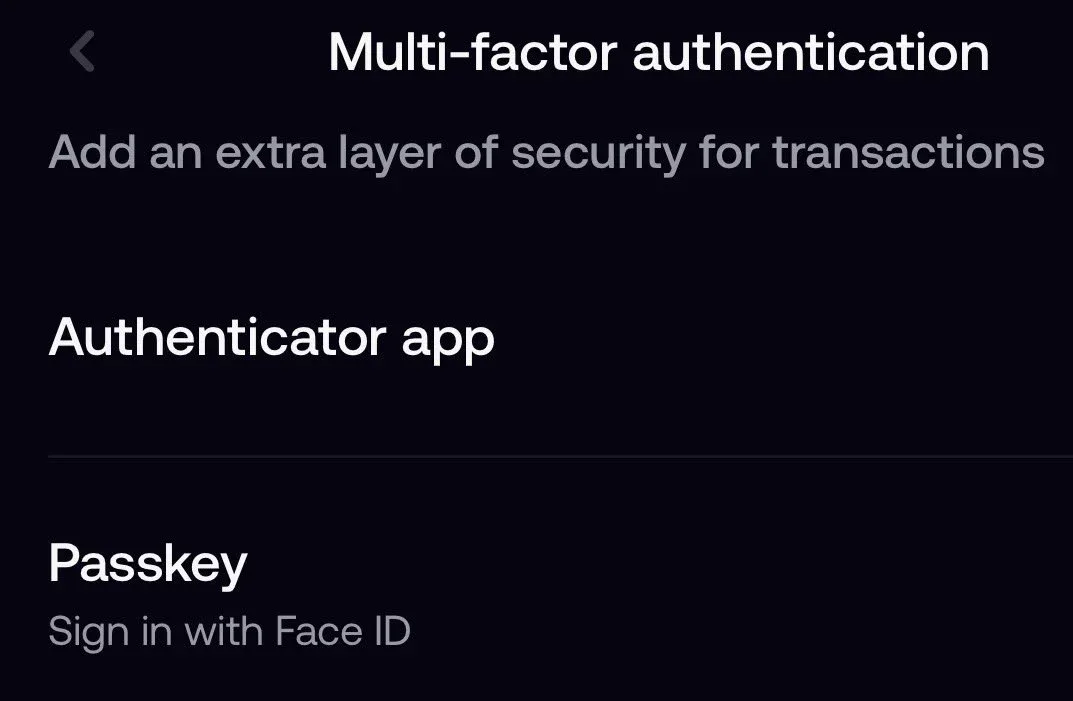
Finish the setup in one go. Each time you open the setup screen, Fomo makes a new entry, and codes from an older entry no longer work. Fomo has no recovery codes either, so never delete the Fomo entry from your authenticator app.
2. Screen Lock
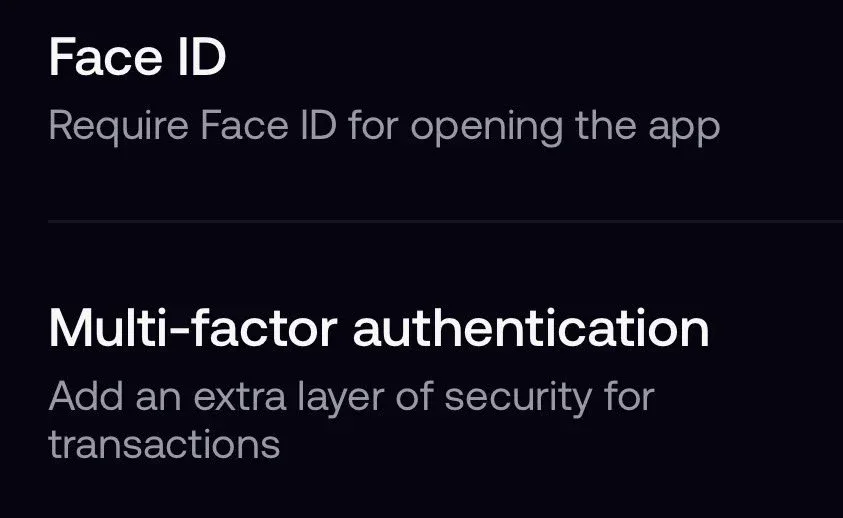
Screen Lock lives on the same Security screen. It locks the app on that one phone, so a friend who borrows your phone still can't open Fomo. On the web the matching option is called PIN lock. On an iPhone the same setting shows up as Face ID.
3. Your X connection and profile
Connecting X is optional, but it fills in your profile and helps friends find you. Your trades and posts can show up in the social feed, so choose a username you are happy for others to see.
Common sign-up problems and fixes
My new account is empty
This one comes up all the time. You most likely signed in with a different Apple ID or Google account than the first time. Each login opens its own separate account with its own wallets. Log out and sign in with the exact login you used on day one, and your balance comes back.
I can't find Fomo in my app store
The app is not listed in every store region. Use fomo.family in a browser with the same login instead. Some new users also wonder whether the app they found is the real one, so check the developer name before you install anything.
MFA says too many attempts
Stop trying for now. Wait a few hours, then enter one fresh code from your authenticator app without opening the setup screen again. Reinstalling the app does not clear this message or reset MFA.
I lost my phone with my authenticator app
Contact support from the app or from the Contact support option on the lock screen. The team asks you to verify your identity before it helps. This takes time, which is one more reason to back up your authenticator app.
A card deposit says it is not available in my region
Card and Apple Pay options differ by country and by account. Crypto deposits work everywhere Fomo works: USDC on any supported network, or USDG on Robinhood Chain. Send a small test amount first.
Fomo account FAQ
Does it cost anything to create a Fomo account?
No. Signing up is free. You pay fees only when you trade or move money out.
Can I have two Fomo accounts?
Yes. A second Apple ID or Google account creates a second, separate account. Most people only need one, and two accounts make it easy to lose track of your money.
Can I change the login linked to my account?
Your wallets stay tied to the login that created them. Treat that Apple ID or Google account as the key to your Fomo money and keep it secure with its own two-step check.
Do I need to verify my identity to sign up?
No ID check is needed to create the account. Some deposit or withdrawal methods may ask for verification later, depending on your region.
How do I get help with my account?
Email [email protected], or open Settings in the app and tap Help and Support.
 Written by Mohammad ShahpariCrypto and SEO specialist
Did this answer your question?
Thanks for the feedback.


