
How to Change Your Email, Sign Out or Delete Your Fomo Account
Fomo has no password: change your email in your Apple ID or Google account. How to sign out, log out a lost phone and delete your account safely.

Fomo has no password and no email field of its own. Your login is the Apple ID or Google account you signed up with, so you change your password or email there, and Fomo follows. You sign out from the bottom of Settings in the app, or from the menu under your profile picture on the web. Deleting the account is permanent and lives under Settings, then Legal and Privacy. Export your private keys before you do it.
Each of these touches your login, not your wallets, but the last one can cut you off from your funds if you skip a step.
How to change your Fomo email or password
There's nothing to change inside Fomo. Your account email is the email on the Apple ID or Google account you signed up with, and the password is that account's password.
- Apple: change the password or email in your Apple ID settings, on your iPhone under your name at the top of Settings, or at account.apple.com.
- Google: change them in your Google Account, under Security for the password and Personal info for the email.
The change carries over to Fomo by itself. What you can't do is move your Fomo account to a different Apple ID or Google account. Signing in with another one creates a new, separate Fomo account with its own wallets, and Fomo can't attach your existing account to a different login.
How to sign out of Fomo
- In the app: open the Portfolio tab, tap the gear icon, scroll to the bottom of Settings and tap Logout.
- On the web: hover your profile picture at the top right and choose Log out at the bottom of the menu.
Signing out ends the session on that one device. Your wallets, cash and positions stay exactly where they are, and they're all there when you sign back in with the same login. Write down which login that is before you sign out if you're not sure.

Signing out of a device you no longer have
Fomo has no "sign out of all devices" button. If a phone was lost or stolen, or you think someone else is signed in, change the password on your Apple ID or Google account. That cuts off other sessions. Then sign back in on your own device with the new password. If you have multi-factor authentication on, a thief who opens the app still can't withdraw or export your key without your authenticator.
How to delete your Fomo account
Do these two things first, in this order:
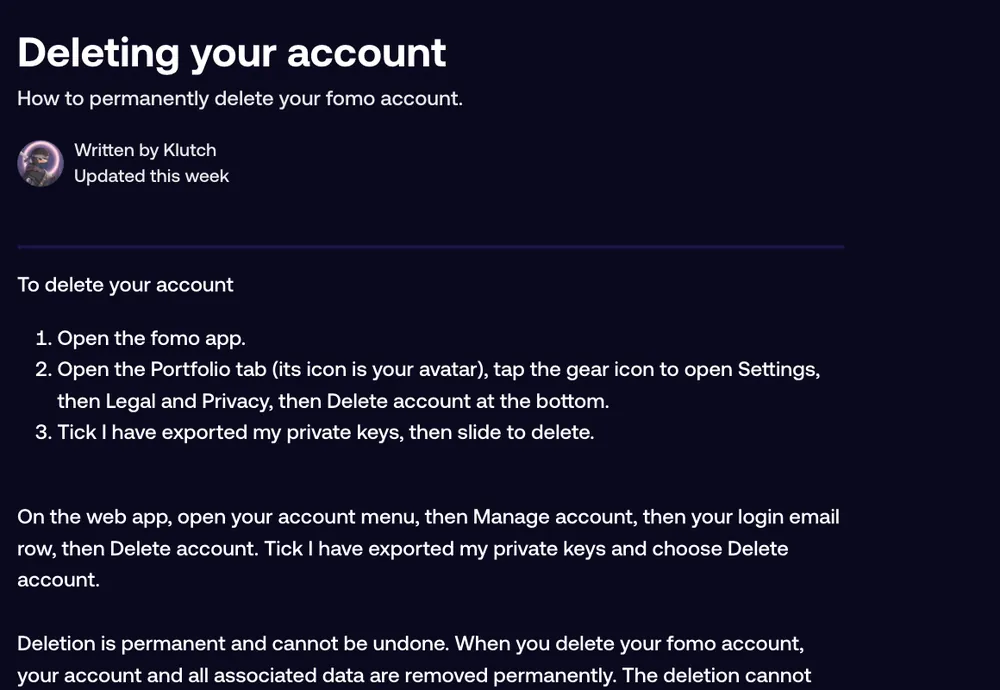
- Move your money out, or at least export both private keys at fomo.family/export-key, the Solana key and the EVM key. Deleting the account doesn't move or remove your funds, but getting back to them through Fomo afterwards isn't guaranteed. With the keys, any non-custodial wallet can open the same wallets.
- Know what you lose: your profile, history and your referral code. Everyone who signed up through your link stops being linked to you at that moment, and signing back in doesn't restore those links.
Then delete it:
- In the app: Portfolio tab, gear icon, Legal and Privacy, then Delete account at the bottom. Tick I have exported my private keys and slide to delete.
- On the web: open the account menu, then Manage account, then your login email row, then Delete account. Tick I have exported my private keys and choose Delete account.
Deletion is permanent and can't be undone. If you later sign in with the same Apple ID or Google account, the same wallets are linked again, but Fomo doesn't promise a full restore of your profile, and you start with a new referral code and no referrals.
Which one do you actually need?
| You want to | Do this | Funds affected? |
|---|---|---|
| Change your email or password | Change it in your Apple ID or Google account | No |
| Stop using Fomo on one device | Logout in Settings | No |
| Kick out a lost or stolen device | Change your Apple or Google password | No |
| Take a break from trading | Sign out, and turn off notifications | No |
| Leave Fomo for good | Withdraw or export keys, then Delete account | Only if you skip the export |
Common questions
Can I switch my Fomo account from Google to Apple?
No. The account belongs to the login you created it with. Signing in with the other one opens a second account.
I deleted my Apple ID or Google account. Is my Fomo money gone?
The funds are still at your wallet addresses on the blockchain. Fomo can't attach a new login, but support can take the case to its login provider, who decides whether access can be restored. Contact support with your Fomo username and the email you first signed in with. If you exported your keys earlier, you can open the wallets in another app yourself.
Will deleting the app delete my account?
No. Removing the app from your phone only removes the app. Your account and funds stay, and you can sign in again after reinstalling.
Related: what to do if you can't log in to Fomo and how to turn on MFA.
 Written by Mohammad ShahpariCrypto and SEO specialist
Did this answer your question?
Thanks for the feedback.


